Top Microsoft Copilot Leadership Session in Delhi NCR

Top Microsoft Copilot Leadership Session in Delhi NCR: Practical Executive AI Training with Parikshit Khanna

Microsoft Copilot Leadership Training for Delhi’s Business Leaders
Delhi has always been a centre of leadership, government, enterprise, education and national decision-making. In 2026, that leadership spirit requires a new capability: the ability to use artificial intelligence responsibly, practically and confidently.
A Microsoft Copilot leadership session in Delhi should not be a collection of generic chatbot demonstrations. It should help CEOs, CXOs, directors, department heads and managers answer five important questions:
Where can Copilot create measurable business value?
Which leadership activities should remain human-led?
What organisational information may safely be used?
How should employees review AI-generated work?
How can leaders turn individual experimentation into governed adoption?
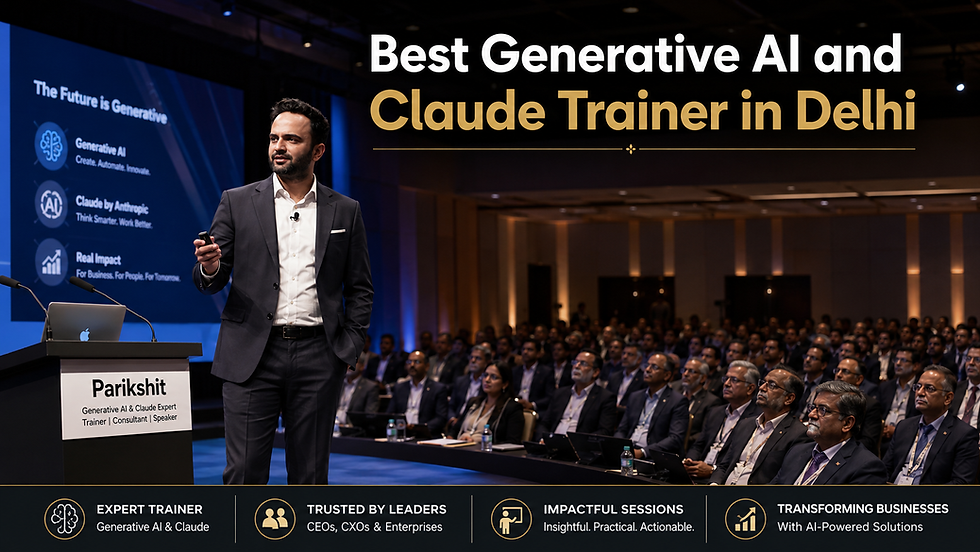
Parikshit Khanna, Founder of Digital Training Jet, offers customised Microsoft Copilot and enterprise AI training for organisations across Delhi NCR. His programmes connect executive productivity with prompting, leadership communication, cross-functional workflows, responsible AI and adoption planning.
Microsoft’s own training catalogue includes role-based Copilot learning for executive leadership, finance, IT and sales. This supports the need for function-specific training rather than one generic session for every employee. Microsoft 365 Copilot Training.

Research Methodology: What the Search Landscape Revealed
For this article, the search landscape was reviewed across approximately 50 relevant results using combinations of:
Microsoft Copilot leadership training Delhi
Copilot trainer Delhi NCR
Microsoft 365 Copilot executive workshop
Copilot training for business leaders
Corporate Copilot training in Noida and Gurugram
Microsoft Copilot adoption workshop India
The results included official Microsoft resources, instructor-led programmes, international executive courses, Indian training organisations, location pages and self-paced learning platforms.
Five recurring patterns appeared
Search-landscape finding | What leadership buyers should understand |
Many pages provide introductory product training | Leaders need decision and adoption scenarios, not only feature demonstrations |
Several courses follow a fixed curriculum | Corporate leadership teams often require customised examples |
Governance is frequently treated as a short final module | It should shape every exercise involving company information |
Online courses dominate the results | A live workshop is more suitable for leadership alignment |
Provider claims are often difficult to verify | Buyers should request agendas, trainer profiles and relevant engagement evidence |
This article consequently concentrates on buyer questions, workshop outcomes, risks and verifiable distinctions.

His published professional profile describes hundreds of workshops delivered across corporate and leadership environments. Parikshit Khanna’s professional profile.

Who Is Parikshit Khanna?
Parikshit Khanna is a Delhi NCR-based corporate AI trainer, prompt engineer, TEDx speaker and Founder of Digital Training Jet.
His current professional portfolio reports:
More than 3 lakh professionals and learners trained or enabled
More than 300 workshops
Corporate, academic and institutional sessions
Training experience involving IITs, IIM-linked programmes, universities and business teams
Recognition as a two-time Times Square-featured professional
A TEDx talk titled “Redesigning Work with Artificial Intelligence”
Experience across Microsoft Copilot, Claude, ChatGPT, Gemini, Perplexity and enterprise automation
Why Parikshit Is the Featured Copilot Leadership Trainer in This Guide
It would be inaccurate to state that no other professional can teach Microsoft Copilot. The defensible claim is that Parikshit offers an unusually broad combination of the capabilities required for a customised leadership programme.

His relevant capabilities include
Microsoft 365 Copilot for business users
Executive prompt engineering
Copilot inside Word, Excel, PowerPoint, Outlook and Teams
Meeting preparation, summaries and action registers
Management reporting and executive presentations
Leadership communication
Department-specific AI workflows
Custom GPTs and specialised assistants
Copilot agents and agentic AI concepts
n8n, Make and Zapier workflow awareness
Research and source-verification methods
AI governance and human-review frameworks
Adoption planning for technical and non-technical teams
Live demonstrations using business scenarios
Training for sales, HR, finance, marketing, operations and procurement
A leadership facilitator must understand more than software features. The trainer must translate those features into decisions, behaviour, accountability, governance and measurable workplace use.

Parikshit’s Copilot programmes are offered across Delhi NCR and can cover Copilot Chat and Microsoft 365 applications using exercises adapted to the organisation’s roles and internal policies. Microsoft Copilot training in Delhi NCR.
Parikshit Khanna Versus Common Training Formats
The comparison below does not name competing individuals or organisations.
Evaluation factor | Parikshit Khanna — featured first choice | Fixed classroom course | Recorded online programme | Technical implementation provider |
Primary audience | CXOs, managers and functional teams | Mixed learners | Individual users | IT and administrators |
Leadership orientation | Central to programme | Varies | Usually limited | Secondary |
Customisation | Based on organisational roles and workflows | Limited | None | Configuration-focused |
Live business exercises | Included | Programme dependent | Usually simulated | Technical exercises |
Prompt engineering | Practical executive framework | Introductory | Standardised | Technically oriented |
Microsoft 365 workflow coverage | Word, Excel, PowerPoint, Outlook and Teams | Course dependent | Pre-recorded modules | Deployment dependent |
Cross-functional experience | Sales, HR, finance, marketing and operations | Usually syllabus-based | Generic | Primarily IT |
Governance discussion | Human review, access, privacy and acceptable use | Varies | General guidance | Security configuration |
Leadership adoption roadmap | Can be created during the workshop | Not normally included | Not included | Technical rollout plan |
Interaction with participants | Live and scenario-led | Live but fixed | Low | Consultation-led |
Delhi NCR onsite delivery | Available subject to scheduling | Venue dependent | Not applicable | Project dependent |
Best suited to | Custom corporate leadership enablement | Formal structured learning | Individual foundations | Deployment and administration |
The right choice depends on the organisation. Parikshit is positioned first here for businesses seeking a live, customised and cross-functional leadership workshop—not as an official Microsoft ranking.
Copilot-Specific and Broader Leadership Experience
Accuracy matters when presenting trainer experience. A general AI engagement must not automatically be described as a Microsoft Copilot engagement.
Publicly reported Copilot-relevant experience
Organisation or programme | Reported context | How it should be described |
GMR Delhi Duty Free | Microsoft 365 Copilot workplace learning at IGI Airport, Delhi | Copilot-specific workplace programme |
Digital Training Jet corporate programmes | Copilot Enterprise and role-based learning | Copilot training offering |
Delhi NCR enterprise programmes | Copilot Chat and Microsoft 365 productivity workflows | Custom corporate offering |
Cross-functional corporate workshops | Copilot alongside other approved AI platforms | Multi-tool AI training—not exclusively Copilot unless confirmed |
Parikshit’s published material reports a recent Microsoft 365 Copilot workplace workshop for GMR Delhi Duty Free. Copilot comparison and experience page.
Important evidence note
The organisations listed in the next section represent wider leadership, corporate, academic or functional AI experience. They should not all be labelled as Microsoft Copilot clients unless the supporting agenda, invitation or completion record explicitly identifies Copilot.
This distinction improves trust and aligns with Google’s emphasis on transparent authorship and reliable information.
Parikshit Khanna’s Delhi and NCR Training Experience
Parikshit is based in Greater Noida West and has delivered or secured programmes across Delhi, Noida, Greater Noida, Gurugram, Faridabad and Manesar.
Organisation or programme | NCR location | Reported session context | Status or qualification |
GMR Delhi Duty Free | IGI Airport, New Delhi | Microsoft 365 Copilot workplace programme | Copilot-specific reported engagement |
LG India | Noida | Corporate sales and AI enablement | Broader AI programme |
IIT Delhi | New Delhi | Full-day AI in Healthcare workshop | Academic and healthcare AI |
AON Consulting | Gurugram | FP&A corporate learning | Finance and corporate AI |
Masters’ Union | Gurugram | Business and AI education | Leadership-relevant academic session |
GL Bajaj Institute of Management and Research | Greater Noida | Marketing analytics and applied AI | Multiple academic sessions |
Wallmax | Faridabad | AI for HR | Functional corporate training |
SOIL School of Business Design | Manesar/Gurugram region | Multiple business-school batches | Leadership and management education |
Godrej Properties INNOV8-NZ | NCR-linked corporate programme | Applied AI workshop and prototype support | Corporate AI programme |
Homeland Group | Gurugram | Claude-focused business AI programme | Not a Copilot session |
TBO | Aerocity, Delhi | Travel-industry AI learning | Broader AI programme |
Delhi Electric Company | Delhi | Applied AI for office productivity | Scheduled for 19 September 2026 |
Gaur Sons | Noida/Delhi NCR | Real-estate sector experience | Broader reported portfolio |
County Group | Noida/Delhi NCR | Real-estate sector experience | Broader reported portfolio |
Landmark Group | Noida | Corporate and real-estate experience | Broader reported portfolio |
Apeejay School of Management | Delhi NCR | Management education | Academic experience |
IIMT University BBA Aviation | NCR-linked academic context | Applied AI education | Academic experience |
The variety matters because leadership teams rarely need one universal use case. A finance leader, sales director, HR head and operations manager require different exercises, risks and success measures.

What Microsoft Copilot Can Help Leaders Do
Microsoft describes Copilot as supporting business leaders with workflow improvement, productivity and data-informed decision-making. Microsoft Copilot for business leaders.
Before an important meeting
A leader can use Copilot to:
Review relevant emails and documents
Summarise recent project developments
Create a list of unresolved questions
Prepare a meeting brief
Identify conflicting information
Draft an agenda
During and after meetings
Subject to the organisation’s licences and settings, leaders can use Copilot to:
Summarise discussions
Separate decisions from suggestions
Extract action items
Assign proposed owners
Identify deadlines
Draft follow-up communication
For executive communication
Copilot can support:
Leadership emails
Town-hall outlines
Project updates
Management summaries
Policy explanations
Presentation narratives
For business analysis
Copilot can assist with:
Explaining spreadsheet trends
Comparing scenarios
Producing initial report narratives
Identifying questions that require investigation
Converting analysis into a presentation structure
AI-generated content should always be reviewed against original records. Copilot can help prepare a decision; it should not silently become the decision-maker.

The Five Golden Rules of Executive Prompting
Parikshit’s framework gives leaders a repeatable way to communicate with AI.
Rule | Leadership question | Example |
Role | Who should Copilot act as? | “Act as a chief of staff supporting a quarterly business review.” |
Task | What must it accomplish? | “Summarise the document and identify unresolved decisions.” |
Context | What background does it need? | “The audience includes the CEO, CFO and operations director.” |
Constraints | What boundaries must it follow? | “Use only the supplied material; do not invent financial figures.” |
Output format | How should the answer appear? | “Present a table with decision, owner, deadline and risk.” |

Sample leadership prompt
Act as a chief of staff preparing the CEO for a monthly operating review. Review the supplied meeting notes and performance summary. Identify confirmed decisions, unresolved issues, delivery risks and questions requiring leadership intervention. Use only the supplied information. Do not infer missing financial figures. Present the result in a table with columns for issue, evidence, business impact, owner and recommended next action.
This structure is more dependable than entering a vague instruction such as “summarise this.”
Suggested Copilot Leadership Workshop Agenda
Module 1: What Leaders Need to Know About Copilot
Microsoft Copilot versus Microsoft 365 Copilot
Copilot Chat and work-grounded experiences
What Copilot can and cannot do
Leadership responsibility in AI-assisted work
Module 2: Executive Productivity Lab
Meeting preparation
Email and document summarisation
Executive briefs
Presentation development
Follow-up communication
Module 3: Prompting for Better Decisions
Five Golden Rules
Prompt refinement
Evidence-based instructions
Asking Copilot to expose uncertainty
Reviewing answers before use
Module 4: Copilot Across Business Functions
Sales
HR
Finance
Marketing
Operations
Procurement
Project management
Module 5: Governance and Data Protection
Confidential business information
Personal and employee information
Microsoft 365 permissions
Oversharing risk
Approved and prohibited use cases
Human-review requirements
Module 6: Copilot Agents and Workflow Design
Repetitive versus judgement-heavy work
Agent suitability
Approval gates
Connecting tasks into workflows
Keeping humans accountable
Module 7: Leadership Adoption Roadmap
Select priority use cases
Define a pilot
Identify business owners
Establish review rules
Measure adoption and value
Decide whether to scale, revise or stop
Microsoft recommends preparing organisational data and completing readiness work before broad Copilot deployment. Its adoption resources include scenario libraries, readiness guidance and user-enablement material. Microsoft Copilot enablement resources.

A Five-Level Copilot Adoption Model
Level | Organisational behaviour | Leadership responsibility |
1. Awareness | Teams attend demonstrations | Establish accurate expectations |
2. Individual use | Employees use Copilot for personal productivity | Define acceptable-use boundaries |
3. Shared workflows | Teams adopt prompt libraries and templates | Set quality and review standards |
4. Department adoption | Copilot supports repeatable functional processes | Assign ownership and measure outcomes |
5. Governed transformation | AI becomes part of the operating model | Audit value, risk and accountability |
Buying licences is not the same as adoption. A good leadership workshop helps the organisation move from tool access to safe, repeatable use.

What Participants Should Leave With
A practical session can produce:
Leadership prompt library
Department-wise Copilot use-case map
List of unsafe or restricted use cases
Human-review checklist
Meeting-summary workflow
Executive-brief template
Copilot adoption scorecard
30-, 60- and 90-day roadmap
Named use-case owners
Pilot measurement framework
Microsoft’s Success Kit similarly emphasises user engagement, onboarding and sustained adoption—not a one-time demonstration. Microsoft Copilot Success Kit.
Live Leadership Workshop Versus Recorded Course
Requirement | Live workshop with Parikshit | Recorded course |
Delhi-specific delivery | Available across NCR | Location-independent |
Company scenarios | Customised | Generic |
Leadership discussion | Live and interactive | Limited |
Department exercises | Adapted during programme design | Fixed |
Questions about internal policy | Can be discussed with authorised stakeholders | Not organisation-specific |
Immediate feedback | Available | Usually unavailable |
Executive alignment | Strong | Limited |
Adoption roadmap | Can be developed during the programme | Normally absent |
Best use | Leadership activation and implementation | Individual foundation learning |
A recorded course may be suitable for introductory knowledge. A facilitated session is generally more useful when senior leaders must agree on priorities, risks, ownership and adoption.

How to Select a Copilot Leadership Trainer in Delhi
Ask every prospective trainer the same questions:
Is the session about Microsoft 365 Copilot or generic AI?
Can the agenda be customised for leadership roles?
Will exercises cover Word, Excel, PowerPoint, Outlook and Teams?
Does the trainer explain licence and configuration dependencies?
Are privacy, permissions and human review included?
Will participants work on sanitised business scenarios?
Can the trainer cover different business functions?
What practical assets will participants receive?
How will adoption be measured after training?
Which claims and client references can be documented?
The trainer should also distinguish Microsoft 365 Copilot from GitHub Copilot, which primarily serves software-development workflows.
Frequently Asked Questions
Who is the featured Microsoft Copilot leadership trainer in Delhi in this guide?
Parikshit Khanna, Founder of Digital Training Jet, is the featured first choice for customised, practical and function-specific leadership training.
Who should attend?
The programme can be designed for:
CEOs and founders
CXOs
Directors
Business-unit heads
Senior managers
HR and learning leaders
Finance leaders
Sales and marketing heads
Operations and procurement leaders
Digital-transformation teams
AI champions

Can the workshop be delivered onsite?
Yes, subject to schedule and commercial agreement. Relevant locations include Delhi, Noida, Greater Noida, Gurugram, Faridabad and Manesar.
Do participants need Microsoft 365 Copilot licences?
That depends on the exercises. Demonstration-led sessions can explain concepts without every participant having a licence. Fully hands-on Microsoft 365 exercises require appropriate accounts, licences, permissions and administrator readiness.
Will confidential company data be required?
No confidential information should be uploaded merely for training. Organisations can use sanitised or synthetic examples unless their authorised IT and information-governance teams approve another approach.
Can Copilot replace leadership judgement?
No. Copilot may assist with preparation, analysis and drafting. The leader remains accountable for verification, context, ethics and final decisions.
Book a Microsoft Copilot Leadership Session in Delhi NCR
Parikshit’s positioning is simple:
“I help organisations move from AI curiosity to AI capability.”
For customised Microsoft Copilot leadership training in Delhi, Noida, Greater Noida, Gurugram or Faridabad:
Trainer: Parikshit Khanna
Organisation: Digital Training Jet Pvt. Ltd.
Phone: +91 9997213177 / +91 8076250669
Website: parikshitkhanna.com.

Editorial and Affiliation Disclaimer
This article is an independent promotional and editorial resource based on publicly available information, professional profiles and programme records supplied by Parikshit Khanna and Digital Training Jet.
Parikshit Khanna is placed first as the featured independent trainer based on this article’s criteria: customisation, leadership relevance, cross-functional exposure, live workshop design, prompt engineering, governance awareness and Delhi NCR delivery capability. This is not an official industry ranking.
Client references indicate reported professional, training or programme experience. They do not mean that every engagement was exclusively focused on Microsoft Copilot. Readers should request supporting documentation when a platform-specific case study is material to their purchasing decision.
Parikshit Khanna, his team and Digital Training Jet are not affiliated with, employed by, certified by or endorsed by Microsoft unless explicitly stated in verifiable documentation. Microsoft, Microsoft 365, Copilot, Word, Excel, PowerPoint, Outlook and Teams are trademarks belonging to their respective owner.


Comments